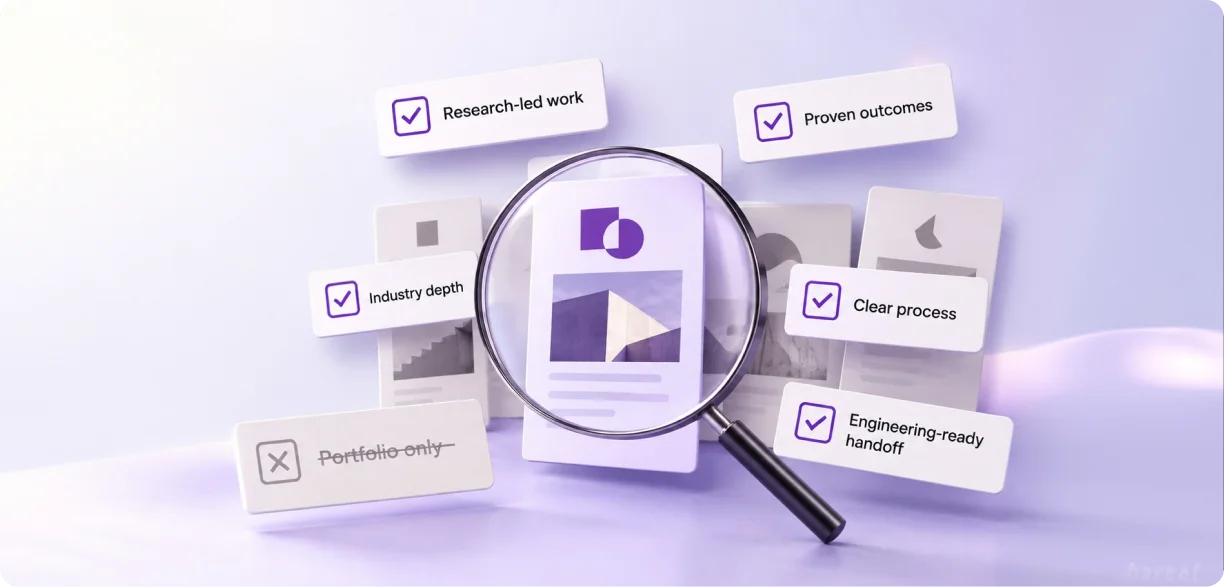
User journey mapping is the practice of visualizing every step a person takes with your product, from first touch to final goal. It captures actions, thoughts, and emotions at each stage, then exposes the friction that costs you users. Teams use it to fix gaps, cut drop-off, and design around real behavior.
Why Do Products Lose Users They Already Have?
Here is a problem we see in almost every audit. The product works. The buttons click. The screens load. And people still leave.
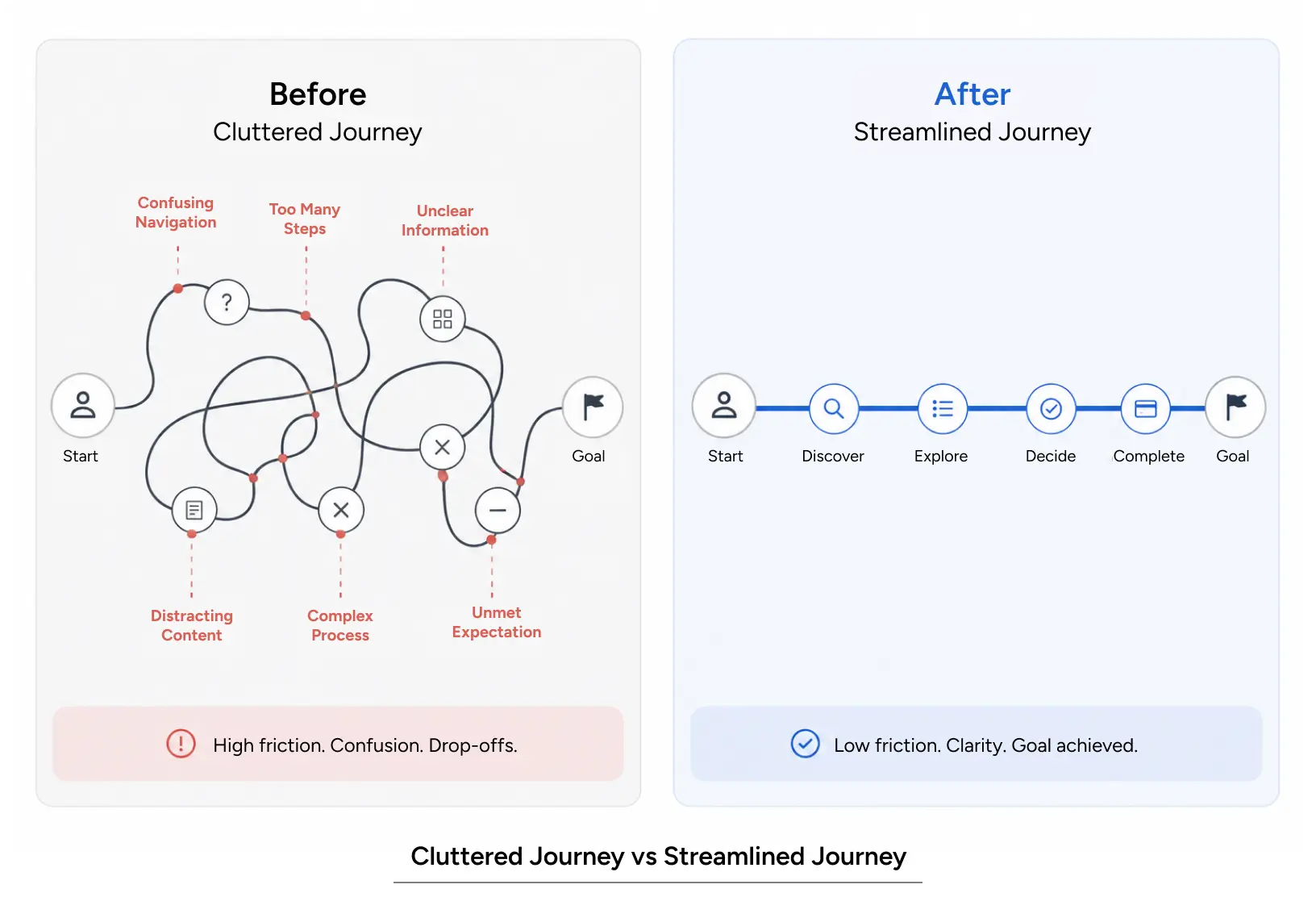
Most teams respond by redesigning a screen. That rarely fixes it. The user did not abandon one screen. They abandoned a path, somewhere between wanting something and getting it. You cannot see that path by staring at individual pages.
This is where journey mapping earns its place. It pulls the whole experience into one view. You can finally see where attention breaks, where confusion creeps in, and where a person quietly gives up. At Yuj Designs, it is one of the first tools we reach for when a product works on paper but still loses people. In this guide, you will learn what a journey map is, the types worth building, how it differs from a user flow, and a step-by-step way to apply it to your own product.
What User Journey Mapping Actually Is
User journey mapping is a visual method for tracking how a person moves toward a goal while using your product or service. It records what they do, what they think, and how they feel at each step. It also marks the moments where the experience helps them and the moments where it fails them.
A good map has a few consistent traits. It follows one specific persona with one clear goal. It runs across stages, not screens. It layers emotion on top of action. And it points to gaps you can actually fix.
Think of a person opening a banking app to dispute a charge. The journey is not “log in, tap dispute.” It is worry, searching, uncertainty about whether the claim went through, and waiting for confirmation. A screen-level view misses all of that. A journey view captures it.
Types of Journey Maps and When to Use Each
Different questions call for different maps. Here are the four we reach for most.
- Current-state maps show how the experience works today. Use them to find existing friction before a redesign.
- Future-state maps show the experience you intend to build. Use them to align a team on a target before design begins.
- Day-in-the-life maps stretch beyond your product into the person’s wider context. Use them for early discovery and new market entry.
- Service blueprints connect the front-stage experience to the back-stage systems and staff behind it. Use them for complex, multi-team products.
Core Principles That Make a Map Worth Building
A map is only useful if it changes a decision. Ground every map in real research, not assumptions. Anchor it to one persona and one goal, because a map that serves everyone serves no one. Include emotion, since feelings drive drop-off as much as usability does. Keep it as a living document that evolves as you learn.
Journey Maps vs User Flows
People mix these up constantly, so let’s separate them cleanly.
The role of user flow in UX is to show the exact steps and decision points a person moves through inside an interface. A user flow UX diagram breaks the experience down into the actions, decisions, and interface states that guide a user toward a specific outcome. Journey mapping sits one level up. It covers the emotional and contextual arc, including moments that happen off-screen.
You need both. A UX design user flow tells you what happens next at each click. A journey map tells you why the person cares and where they lose faith. When we map user flow in UX early, we can pressure-test whether the happy path actually matches the goal in the journey map.
Strong user flow UX design reduces dead ends, loops, and orphan states. A clear UX design user flow prevents the classic problem of a screen that leads nowhere. We treat user flow UX work as the structural skeleton and the journey map as the human story around it. Ignoring user flow in UX leaves you with pretty screens that don’t connect, while ignoring the journey leaves you with connected screens nobody enjoys.
Here is the simple rule we use. Map the journey to find where the experience breaks. Build the user flow UX design to fix how the person moves through it. A UX design user flow sits inside a larger journey, never the other way around. In user flow UX design, each branch should trace to a user goal. Every user flow UX design choice should reduce a documented pain point, and a strong user flow UX artifact removes the guesswork from that connection. When user flow in UX and journey mapping work together, screens stop feeling random and start feeling inevitable. Good user flow UX starts from the journey, not from the screen.
Also Read – Ethnographic Research in UX: How to Understand Users in Their Real Context
Why It Matters: Experience, Business, and Mistakes to Avoid
Impact on User Experience
A journey map improves usability by exposing the exact step where people hesitate. It supports accessibility by forcing you to consider users on slow connections, small screens, or assistive tech at each stage. It reduces cognitive load by revealing where you ask for too much, too soon. It also respects emotion, because a frustrated user rarely reaches the goal, no matter how clean the interface looks.
Impact on Business Metrics
The business case is direct. Faster tasks mean higher completion rates. Higher completion means more conversions.
The numbers back this up. Gartner expects agentic AI to resolve 80% of common service requests by 2029. It ties this to a 30% drop in operating costs (Gartner). Over half of consumers, 51%, prefer a bot to a human when they want an immediate answer (Zendesk). Meanwhile, 74% now expect service available 24/7 (Zendesk CX Trends).
Support costs fall when a strong chatbot UX design handles routine questions. Human agents then focus on complex cases. Measure your chatbot UX by real completion rates, not vanity metrics. Retention rises when users get answers without waiting.
Yuj Designs brought the same rigor to Honeywell, the US industrial and technology firm. We designed Uniformance Trace, a tool for engineers running complex process plants. The old experience buried critical data and slowed every decision. We mapped how engineers actually worked, then built the interface around it. The redesign cut management effort and documentation by up to 80%. That means lower cost, fewer errors, and faster decisions on the plant floor.
Brand trust grows when the interface behaves predictably. People return to products that understand them. That is the quiet return on good chatbot UI UX.
Common Mistakes to Avoid
The biggest mistake is mapping from opinion instead of research. A map full of guesses just makes assumptions look official. The second mistake is mapping everyone at once, which produces a blurry average that describes no real person. The third is building the map, presenting it, and filing it away. A map that does not drive a design decision is a workshop, not a tool.
How to Apply It: A Practical Workflow
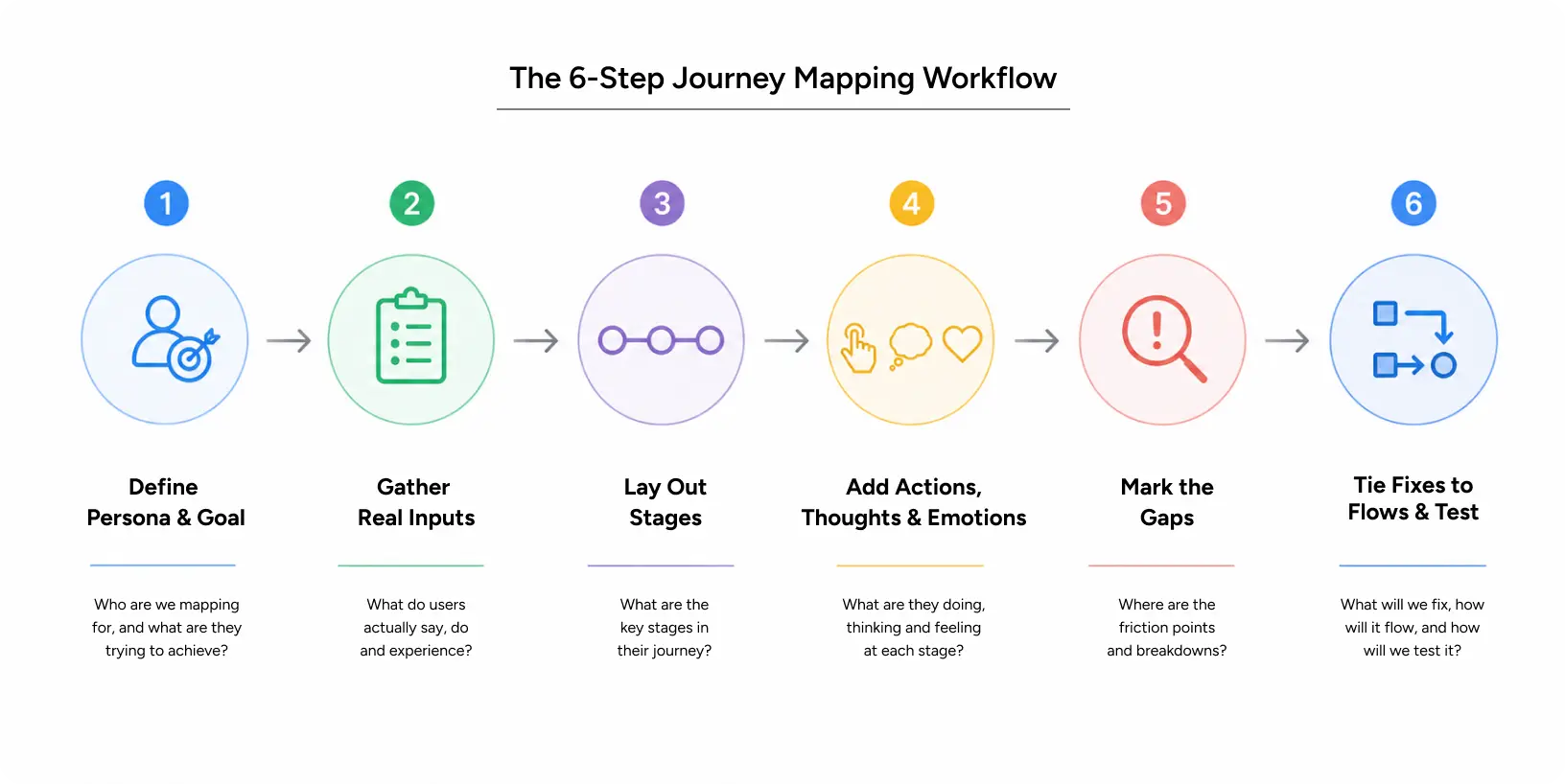
You do not need exotic tools to start. You need a clear goal, real inputs, and a repeatable method. Here is the workflow our team at Yuj Designs uses.
- Define the persona and goal. Pick one user and one thing they are trying to accomplish. Specific beats general every time.
- Gather real inputs. Pull from interviews, support tickets, session recordings, and analytics. Let evidence set the stages.
- Lay out the stages. Break the journey into phases, from trigger to outcome. Keep them behavioral, not technical.
- Add actions, thoughts, and emotions. For each stage, capture what the person does, what they wonder, and how they feel.
- Mark the gaps. Highlight friction, confusion, and drop-off. These are your fix list.
- Tie fixes to flows and test. Redesign the relevant UX design user flow, prototype it, and validate with users.
Pro Tips From Yuj Designs
Map the unhappy paths, not just the smooth one. Real users hit errors, empty states, and dead ends, and those moments decide trust. A tidy user flow UX keeps those unhappy paths from turning into traps. Quantify pain where you can, so a stage reads “62% drop-off here,” not “users seem confused.”Make the map visible on a wall or shared board, because a map nobody sees changes nothing.
Tools and Resources
Figma and FigJam are strong for collaborative, living maps. Miro works well for large workshops. Adobe XD and specialized tools like UXPressia or Smaply help with polished, presentation-ready maps. Pair any of them with your analytics and a session-replay tool so emotion sits next to evidence.
Where Journey Maps Fit in the UX Design Process
Mapping is not a side activity. It belongs early in the UX design process, right after research and before wireframes. The UX design process starts with understanding people, and a map turns that understanding into a shared picture the whole team can act on.
The UX design process steps below show exactly where mapping sits:
- Discover. Research users, business goals, and context. This is the first of the UX design process steps, and it feeds the map directly.
- Define. Build the journey map and pinpoint the gaps that matter most.
- Design. Translate priority gaps into a UX design user flow, wireframes, and screens. Here, the user flow, UX design, and journey mapping work together.
- Test. Validate with real users, then update the map.
Following clear UX design process steps keeps teams aligned on the same problem. A mature UX design process treats the map as a living document, not a one-time artifact. Within the UX design process, the map is the bridge between what research finds and what design builds. Skipping these UX design process steps is how teams end up polishing screens that solve the wrong problem. When the steps stay connected, every screen traces back to a real user need, and the UX design process delivers outcomes instead of just deliverables.
Real-World Application: Honeywell Plant Productivity Tool
Journey mapping is not only for consumer apps. It matters most in complex enterprise products, where a single workflow can span dozens of screens and systems.
Yuj Designs partnered with Honeywell, the US-based industrial and technology company, to design Uniformance Trace, a tool for engineers managing process plants. The challenge was steep. Engineers had to capture configurations, detect changes, and manage sprawling data across logical, physical, and hardware network views. The old experience buried critical information and slowed every decision.
We mapped how engineers actually worked, then designed the interface and interactions around that journey. The result gave users multiple connected views, smart controls to regroup assets, and mechanisms to flag defects and predict breakdowns early. It reduced management effort and documentation by up to 80%.
As Honeywell’s UX Design Leader put it, the tool handled the entire user experience, and Yuj became a genuine design partner rather than an outside vendor.
Read more: Honeywell Case study.
Conclusion
Good products are not a stack of good screens. They are a path a person can walk without frustration. User journey mapping is how you see that path and find the exact places where it breaks.
Map from research, not opinion. Focus on one person and one goal. Layer in emotion, mark the gaps, and connect every fix to a real user flow and a real business outcome. Do that consistently and you stop guessing why people leave and start designing reasons for them to stay.
At Yuj Designs, this is the work: turning scattered, frustrating experiences into ones users trust. For US enterprise teams shipping complex products, that difference shows up in adoption, retention, and revenue.

FAQs