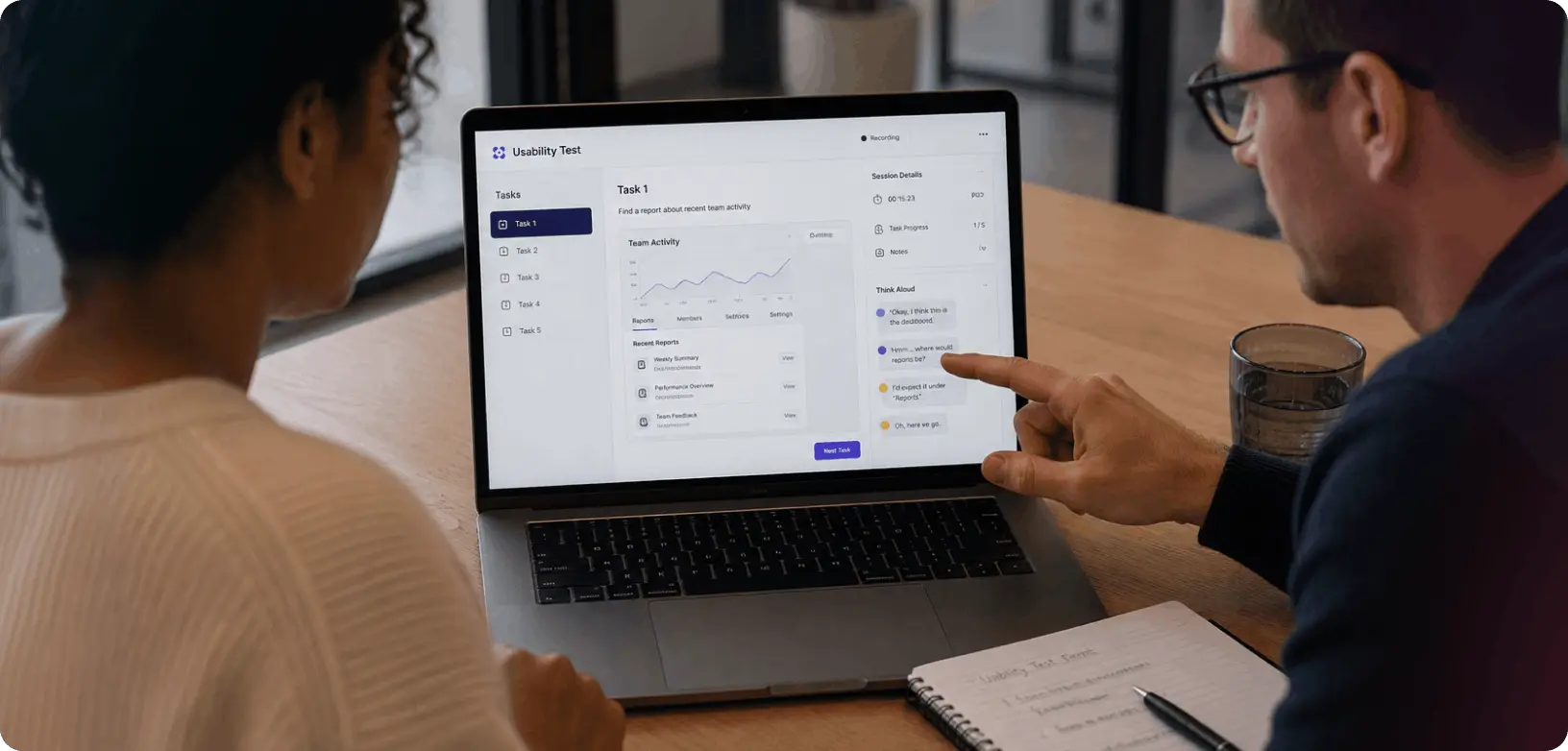
Usability testing is when you sit with your real users in front of your product and watch them try to use it. That’s it. The point is to identify the areas internal debate will never catch, where people get stuck, what confuses them and where they quietly give up. Then you fix it.
Why your assumptions about users are probably wrong
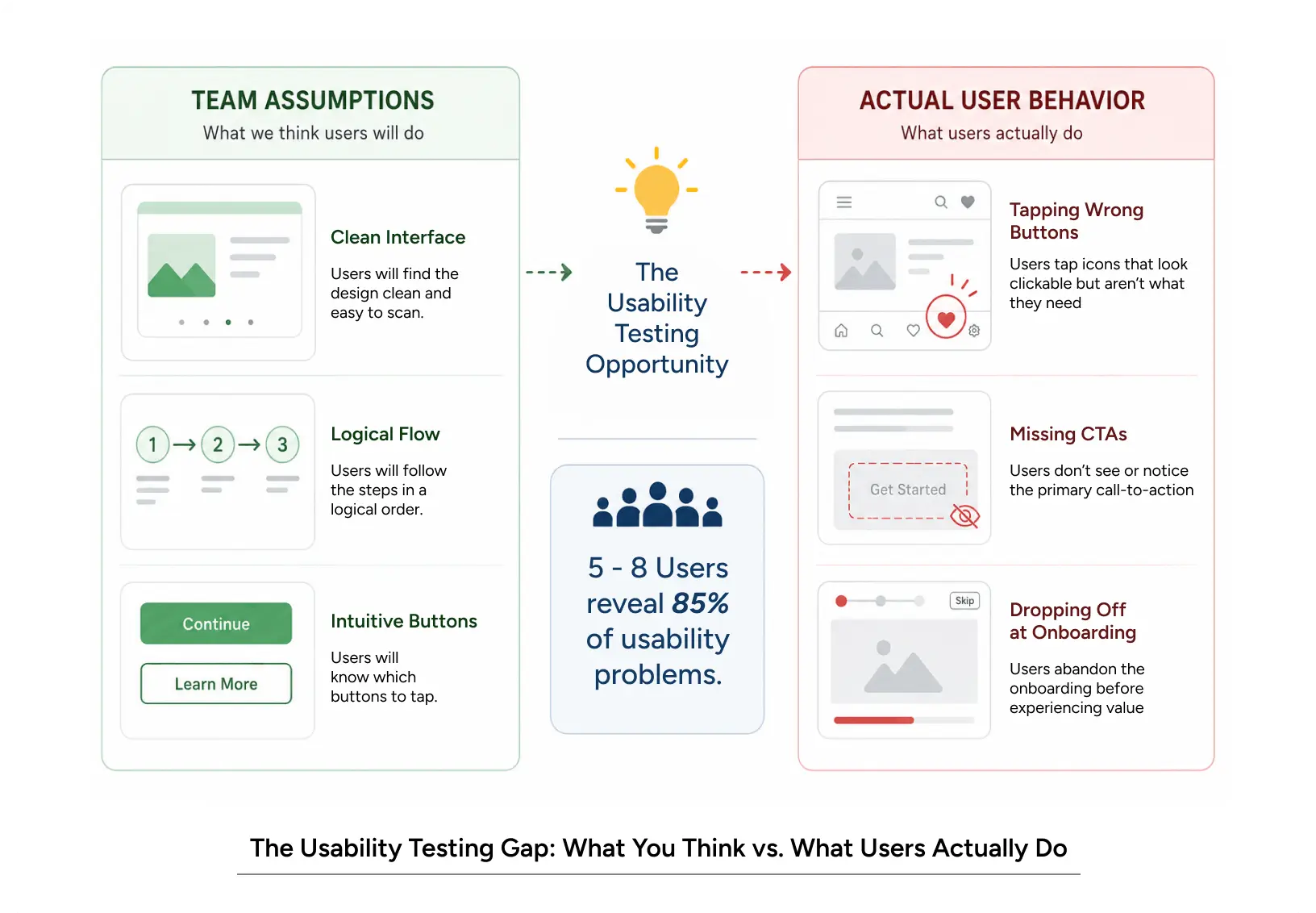
You built something. It does what you wanted it to do. The interface looks clean, the flow makes sense and the buttons are where they should be.
Then a real user sits down with it.
They tap the wrong thing. They miss the button you spent two days designing. They bail on onboarding three steps in. They go somewhere you’d never thought to look.
That gap, between how you think people use your product and how they actually use it, is the whole reason this exists. It’s where teams stop guessing.
None of this is new. Designers have been running these tests for decades. But under deadline pressure, it’s usually the first thing to get cut, and I get why it always feels like the thing you can skip. Then engagement flatlines, conversion stalls and someone in a meeting six months later goes, “wait, was it the feature, or was it just hard to use?” Usually it’s the second one. By then it’s expensive.
This guide walks through what usability testing is, why it pays off, how to actually run one (moderated, unmoderated, or remote) and what to do with what you find.
What Is Usability Testing and How Does It Actually Work
It’s research. You give a real user a task in your product and watch them try to do it. You don’t help. You don’t explain. You just watch where it goes sideways.
Surveys tell you what people say. Analytics tell you what they did. Usability testing tells you the why, which is the part that’s almost impossible to figure out from a dashboard. You see the pause. You hear the muttered, “wait, what?” You watch them tap the same dead area three times before giving up. (That third tap, by the way, is when a lot of people decide they’re done with your product. Not always, but more often than you’d think.)
There are a few flavors:
- Moderated, a researcher walks the participant through tasks live and asks follow-ups when something interesting happens.
- Unmoderated, they go on their own. You watch the recording later.
- Remote, same as either of the above, just not in a room together.
If running this yourself sounds like a lot, a usability testing service can take the whole thing off your plate: recruiting, sessions, analysis, the works.
A few principles that hold up
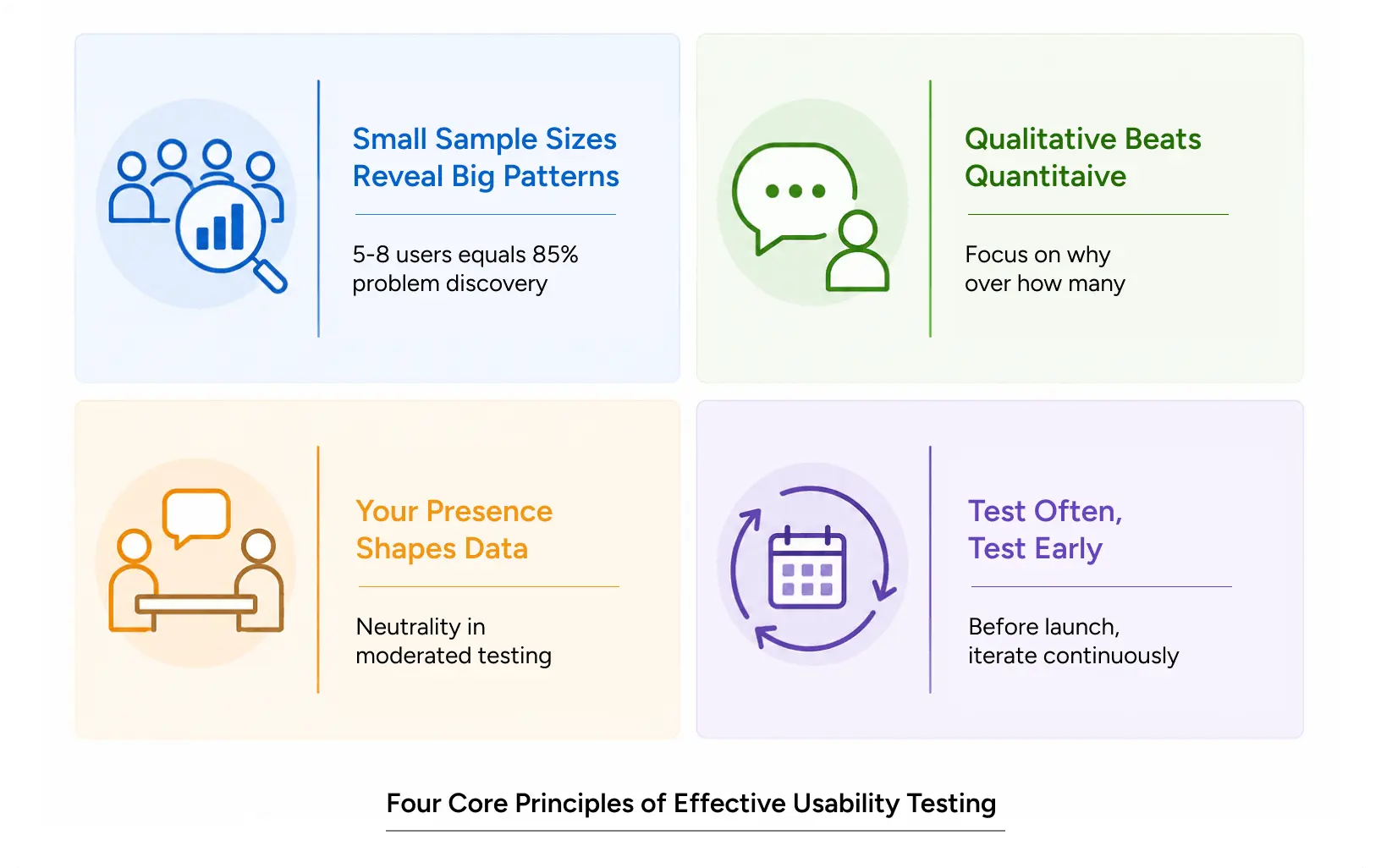
You need fewer users than you think. Jakob Nielsen’s research found that five users catch about 85% of usability issues. After eight, you’re mostly hearing the same stuff. Test small, test often, test the right people.
Watching beats counting. At this stage, success rates aren’t really what you’re after. You want to know why something failed. Watch the video. Notice where the eyes drift. Listen for the sigh. That sigh is data.
Stay out of the way. Harder than it sounds. A badly worded question nudges the participant toward an answer. So does a face if you wince when they tap the wrong thing, they’ll catch it. Neutrality isn’t being cold; it’s protecting the data you came for.
Test before you’re done. The cheapest time to find a problem is when it’s still a wireframe. The most expensive is after launch. Test rough things.
Also Read: Navigating the Agentic Era: Redefining UX for Real-World Impact
Why Usability Testing Matters for UX and Business Outcomes
For the user experience
Every usability problem is a small interruption. Someone stops moving forward. They re-read a label, hesitate over a button, try to swipe something that doesn’t swipe. Each one adds friction. Enough of it, and they leave.
Moderated sessions are good for getting at the why behind those moments. A trained moderator can probe: “What did you expect that button to do?” “Where did you think your payment info went?” The follow-up is most of the value, honestly. Without it you have a recording of someone struggling, which is useful, but you don’t know what they were thinking when they struggled.
Unmoderated and remote testing have different advantages. No one’s watching live, so people don’t perform. You see what they actually do when they think nobody’s paying attention. That’s usually more honest.
For the business
Here’s the thing nobody tells you when it works, the funnel moves.
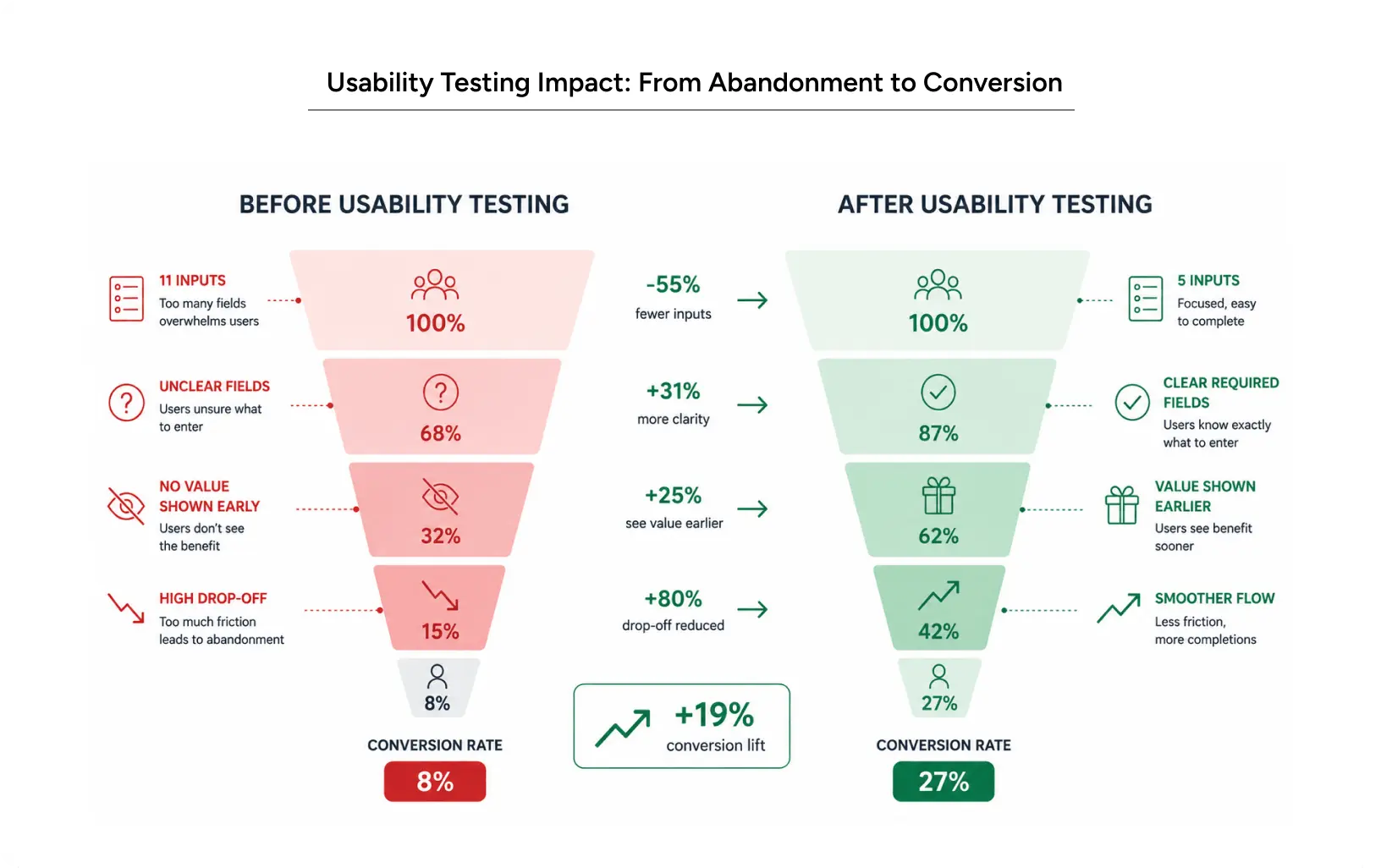
A fintech team we worked with had an onboarding flow that asked for 11 things before showing the user anything useful. (Eleven! For a free trial!) Trial-to-paid conversion was sitting at 8%. We ran three rounds of testing with six to eight users each.
What we found wasn’t subtle. People couldn’t tell which fields were required. They didn’t understand why they had to type all this in before they got to see anything. Most of them quit at step three.
So we redesigned. Required fields became obvious. We showed value earlier. We cut it from 11 fields to five. Tested again, the old drop-off points just disappeared.
Conversion went from 8% to 27% in about 90 days.
That’s not luck. That’s what happens when you let actual user behavior drive the design instead of arguing about it in Slack.
Common Usability Testing Mistakes to Avoid
Testing the wrong people. Your team isn’t your user. Your friends aren’t your users. You need actual people from your target audience. If you don’t have a way to find them, a testing service will.
Testing only the finished version. By then, every change is expensive, and someone has feelings about it. Test wireframes. Test rough prototypes. Test when pivoting is still cheap.
Leading the witness. “Don’t you think this button should be blue?” isn’t a neutral question. Open-ended is the rule. “What were you trying to do?” works. “What did you expect would happen?” works. “Do you like this?” doesn’t.
Asking instead of watching. “Would you use this?” tells you almost nothing. People are bad at predicting their own behavior. Watch them try the task. That’s the real data.
Treating it as a one-time thing. Testing is a cycle. One round finds some problems. The next round, after you’ve fixed those, finds the next layer. Build it into the process or you’ll keep relearning the same lessons.
How to run a usability test
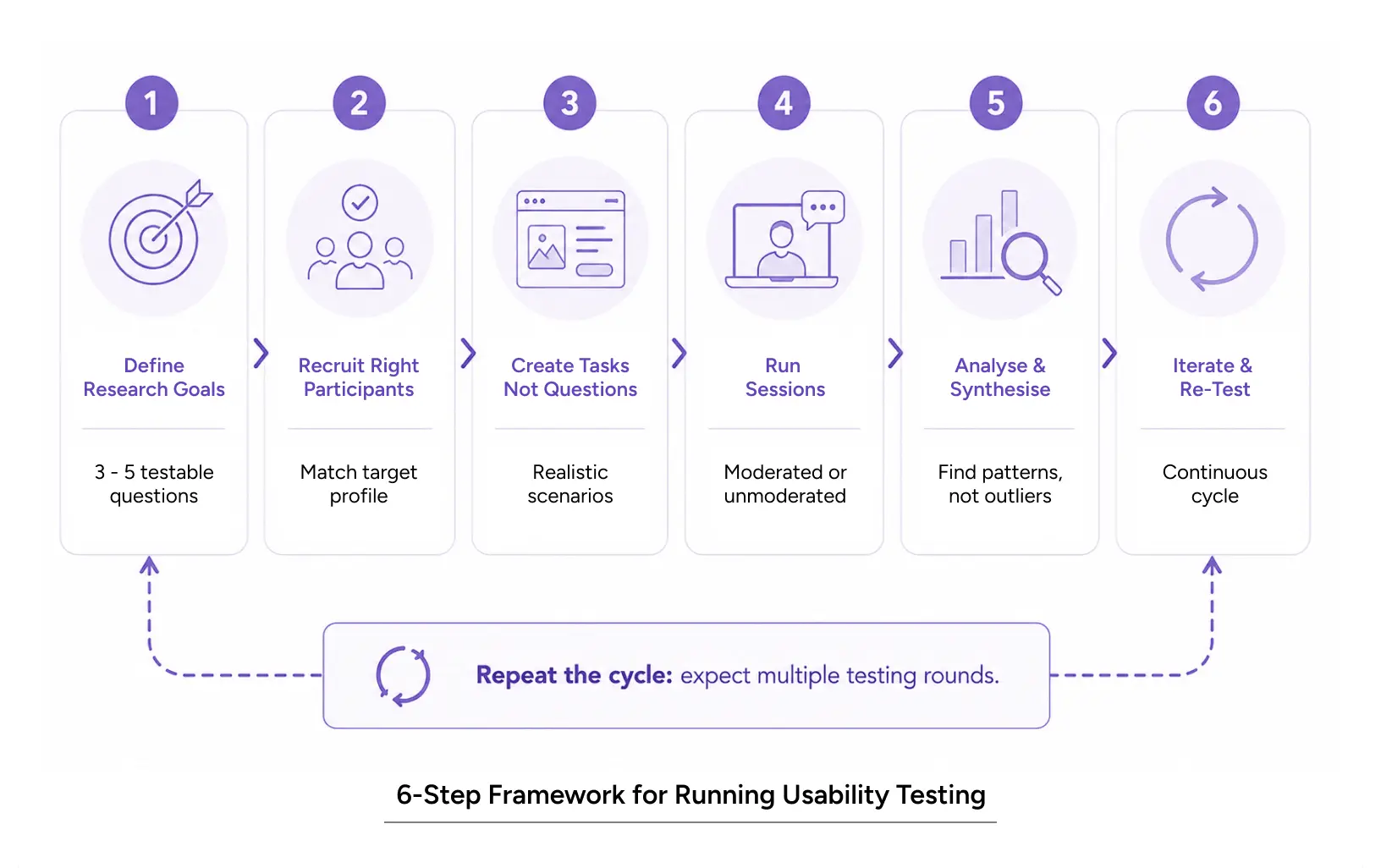
1. Figure out what you actually need to learn
Not “is our design good?” that’s not testable, and you probably can’t be objective about it anyway. Try “can people find the checkout button?” or “do users get why we’re asking for their location?” Write down three to five specific questions. Each one should be answerable by watching someone.
2. Find the right participants
Your actual users. Not just anyone with a pulse. Remote testing platforms handle this you upload a screener and they match you with people from their panel. For moderated sessions you might recruit through LinkedIn, communities, or services like User Interviews or TryMyUI.
3. Write tasks, not questions
“Navigate through our onboarding” is a task. “Do you like our onboarding?” is a question dressed up as one. Aim for four to six realistic tasks that look like what someone would actually do with your product on a normal day.
4. Run the sessions
If it’s moderated, you’re facilitating live. Introduce the task, then back off. Don’t explain. Don’t rescue them. If they’re stuck, ask what they’re trying to do, or what they’d expect to happen next. That’s how you get at their mental model without putting your answer in their mouth.
If it’s unmoderated or remote, they do it on their own. The platform records screen and audio. You review later, usually at 1.5x speed once you’ve got the hang of it.
5. Look for patterns
Watch the recordings. Note things that come up more than once. Did everyone struggle with the same button? Did three of five miss the primary CTA? Did nobody understand why you needed their phone number?
Patterns matter. One person being weird about something usually isn’t actionable. Three people being weird about the same thing is.
Make a findings doc with the issues, where they happened, how bad they are (does it block the task or just slow it down?), and clips of the actual struggle. The clips really matter. Internal teams take findings way more seriously when they can see someone failing, versus reading about it in a deck.
6. Fix it. Then test again.
Round two confirms your fix worked and surfaces the next layer. Round three refines further. It keeps going.
Tools
For moderation: Zoom, Google Meet, Lookback, Maze. For unmoderated: Maze, UserTesting, Respondent, TryMyUI, Playbtest. For recruiting: User Interviews, Respondent, or your own community if you have one. For analysis: Loom, Figma annotations, Dovetail.
Also Read: UI design vs UX design: The Difference That Actually Matters for Your Product
Usability Testing in Action: Enterprise Firewall Case Study
A US cybersecurity company was struggling with the adoption of their firewall management platform. Security admins, the people supposed to live in this tool every day found it overwhelming. Critical workflows like policy management and threat detection weren’t clear. There was a lot of friction and people were avoiding the tool when they could.
YUJ Designs ran moderated usability testing with actual enterprise security teams. The sessions showed that onboarding multiple firewalls was painful, finding critical security info took too long and the technical jargon plus long forms were making people abandon workflows halfway through.
Three changes came out of it: simplified onboarding for managing hundreds of firewalls remotely, an objective-driven dashboard that admins could customize for the data they actually needed and clearer workflow integration. After the redesign shipped, user adoption went up 20% in 90 days.
A pretty good example of what happens when a redesign is driven by watching real users instead of guessing.
Read More: Firewall Management System
Conclusion
Usability testing isn’t optional. Not really. It’s the difference between a product that feels obvious to use and one that quietly annoys people until they leave.
Pick the format that fits moderated for depth, unmoderated for speed, or a testing partner if you don’t want to run it yourself. The format matters less than the discipline. Watch real users. Let what they do shape what you build.
The teams making the products you actually enjoy using aren’t guessing. They’re testing. They’re watching where people succeed and where they don’t, and they’re changing things based on evidence instead of opinion.
Your product is only as good as the experience it creates. The only way to really know that experience is to watch someone go through it.
Start with five users. One round. This week. You’ll learn more in four hours of watching than in four weeks of arguing in meetings.
FAQs